

Computer-Aided Design (CAD): Transforming Reality
Computer-Aided Design (CAD) is the foundation of modern engineering. Every building, pipeline, industrial plant, manufactured product, and piece of infrastructure is designed ...

Computer-Aided Design (CAD) is the foundation of modern engineering. Every building, pipeline, industrial plant, manufactured product, and piece of infrastructure is designed in CAD before it exists in the physical world. AutoCAD, Revit, AVEVA E3D, SolidWorks, and Intergraph Smart 3D are the platforms that engineering teams depend on daily.
But in 2026, the role of CAD is expanding beyond design. CAD data now feeds digital twins, drives automated procurement through ERP integration, powers AI-driven training simulators, and enables real-time interdisciplinary coordination. The platforms themselves haven’t changed fundamentally – what’s changed is what teams build on top of them.
This article covers what CAD is, how it works, where it’s used across industries, and where it’s headed – including the shift toward custom automation, AI integration, and enterprise connectivity that defines CAD engineering in 2026.
What is Computer-Aided Design (CAD)?
Computer-Aided Design, or CAD, refers to the use of computer technology to aid in the creation, modification, analysis, or optimisation of designs. Unlike traditional drafting methods that relied on manual drawings and physical prototypes, CAD enables designers and engineers to create precise, digital representations of their ideas. These digital models serve as a virtual blueprint, allowing for efficient visualisation, analysis, and modification of designs before they are brought into the physical realm.
In practical terms, CAD means different things in different industries. For an oil and gas engineering team, CAD is AutoCAD Plant 3D or AVEVA E3D – used for 3D piping models, P&IDs, and equipment layout. For a construction firm, it’s AutoCAD or Revit – used for structural design, formwork planning, and BIM coordination. For a manufacturer, it’s SolidWorks or Inventor – used for product modeling and simulation. The CAD platform defines the starting point. What engineering teams build on top of it – custom plugins, ERP integrations, automated calculations, clash detection tools – determines whether CAD delivers its full potential or leaves productivity on the table.
Origins and Evolution of Computer-Aided Design
The roots of CAD can be traced back to the early 1960s when computer technology was in its infancy. The first CAD systems were primarily used for aerospace and automotive design, aiming to streamline the design and manufacturing processes. As technology advanced, CAD systems evolved from simple 2D drafting tools to sophisticated 3D modelling environments.
The 1980s marked a significant milestone in CAD history with the development of commercial CAD software. Companies like AutoCAD emerged, introducing accessible and user-friendly CAD solutions to a broader audience. This democratisation of CAD technology paved the way for its widespread adoption across diverse industries.
By the 2020s, the next major shift was underway: CAD platforms becoming programmable foundations rather than standalone tools. Autodesk, AVEVA, and Siemens opened their APIs for deep customization. Engineering teams began building custom plugins in .NET and Python that automated domain-specific tasks – from formwork calculations to CAD-to-SAP data synchronization – directly inside the CAD environment. In 2025, Autodesk announced Neural CAD (machine-learning-based geometry generation in Fusion and Forma), and Tech Soft 3D launched HOOPS AI, the first framework built specifically for ML workflows with CAD data. The trajectory is clear: CAD is evolving from a design tool into a programmable engineering platform.
Key Components of Computer-Aided Design
- Geometric Modelling: CAD systems enable the creation of digital models by defining shapes and dimensions in a virtual environment. Geometric modelling serves as the foundation for all design work, allowing users to build and manipulate objects with precision.
- Rendering and Visualisation: CAD software provides realistic rendering capabilities, allowing designers to visualise their creations in lifelike detail. This aids in communication and decision-making processes by offering a clear representation of the final product.
- Parametric Design: One of the distinguishing features of CAD is its parametric design capabilities. This means that changes to one aspect of a design automatically update related elements, ensuring consistency and reducing the likelihood of errors.
- Simulation and Analysis: CAD tools facilitate the simulation and analysis of designs, enabling engineers to assess factors such as structural integrity, thermal performance, and fluid dynamics. This helps identify potential issues early in the design process, minimising costly revisions.
- Integration and Automation: Modern CAD workflows extend beyond the design environment. CAD data flows into enterprise systems (SAP, Oracle ERP, Teamcenter), simulation tools (CAESAR II, Aspen HYSYS), and operational platforms (SCADA, BMS). Custom integration layers – built with native CAD APIs – automate data transfer, validation, and reporting that would otherwise require hours of manual processing. This integration layer is often where the largest practical ROI lies: automating the data flow between CAD and enterprise systems consistently delivers greater time savings than automating the design process itself.
Where is Computer-Aided Design used
CAD has become an indispensable tool across various industries, each benefiting from its unique capabilities.
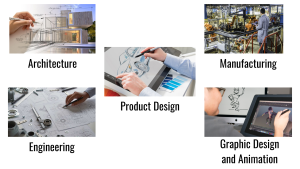
- Architecture: Architects use CAD to create detailed building plans, visualise designs in 3D, and simulate how structures will interact with their surroundings. In practice, architectural and construction teams increasingly extend their CAD tools with automated calculation systems. One construction firm automated formwork calculations using AutoCAD-integrated algorithms – reducing formwork costs by 70% and turnaround by 85%.
- Engineering: In engineering disciplines, CAD is employed for designing machinery, electrical systems, and infrastructure projects. It plays a crucial role in prototyping and testing components before physical production. In oil and gas engineering, CAD platforms like AutoCAD Plant 3D and AVEVA E3D are extended with custom plugins for automated BoM synchronization with SAP, interdisciplinary clash detection, and data extraction. One midstream gas processing plant achieved 85% improvement in data synchronization and 70% reduction in data-related reworks through a custom CAD-to-SAP integration.
- Product Design: CAD is extensively used in product design, allowing designers to create and refine prototypes digitally. This accelerates the product development cycle and reduces the time and cost associated with physical prototyping.
- Manufacturing: CAD plays a pivotal role in computer-aided manufacturing (CAM), where digital designs are translated into instructions for automated production processes such as CNC machining and 3D printing. Beyond production, 3D CAD models created during design are increasingly used as the foundation for operator training simulators. An AI-driven training system built from a facility’s 3D model, P&ID, and PFD data reduced training time by 50% and onboarding incidents by 80%.
- Graphic Design and Animation: CAD tools find applications in graphic design and animation, enabling artists to create intricate visualisations and animations for various media.
Challenges in CAD Adoption and Customization
The primary challenge in 2026 is not CAD itself – the platforms are mature and capable. The challenge is what happens between CAD and the rest of the engineering ecosystem.
Data interoperability remains the biggest practical bottleneck. Engineering teams work across AutoCAD, Revit, AVEVA E3D, CAESAR II, Aspen HYSYS, and SAP – systems with different data models, file formats, and APIs. Manual data transfer between these systems introduces error rates of 10-15% and consumes thousands of engineering hours annually.
Domain-specific limitations are the second challenge. Standard CAD platforms don’t include algorithms for formwork optimization, oil and gas material coding, or jurisdiction-specific compliance checking. These require custom development using native CAD APIs – a skillset that combines software engineering with deep domain knowledge.
What’s Changing in CAD in 2025-2026
Several concrete developments are reshaping the CAD landscape. Autodesk’s Neural CAD introduces ML-based geometry generation in Fusion and Forma. Tech Soft 3D’s HOOPS AI provides the first purpose-built framework for ML workflows with CAD data. PTC Creo 12 integrates AI-driven generative design with thermal physics simulation.
But for most engineering teams, the highest-impact change is more practical: the ability to extend CAD platforms with custom automation. Automated BoM compilation, CAD-to-ERP data sync, interdisciplinary clash management, regulatory compliance checking, and operator training simulators built from 3D models – these are the capabilities that deliver measurable ROI today, not in a future product roadmap.
Conclusion
CAD is the foundation. What you build on top of it determines whether your engineering team operates at capacity or leaves 30-50% of its productivity on the table through manual processes, data re-entry, and workarounds.
If your team uses AutoCAD, Revit, AVEVA E3D, or SolidWorks and wants to explore what custom automation, ERP integration, or AI-driven tools can do for your specific workflows – see how we approach CAD engineering automation or browse real project examples.