

Machine Learning in CAD: How It Actually Works and Where It Delivers Results
Engineering teams routinely lose a significant portion of their productive hours on repetitive CAD tasks: manual data entry, error checking, format conversions, and iterating ...
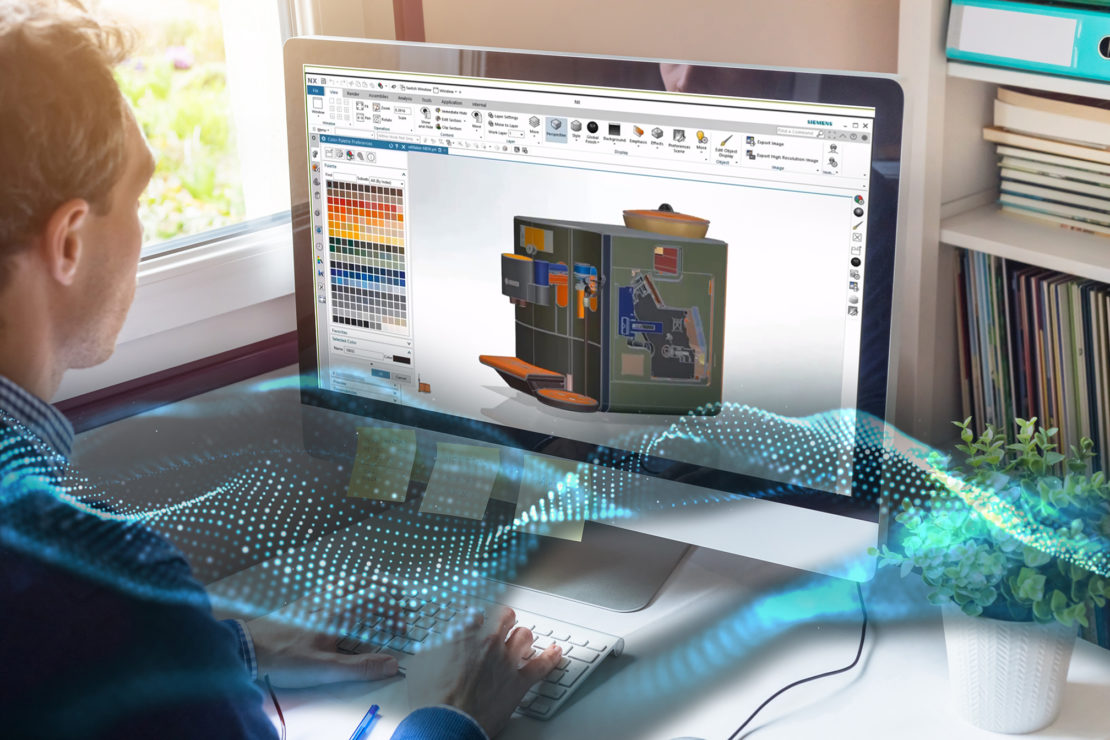
Engineering teams routinely lose a significant portion of their productive hours on repetitive CAD tasks: manual data entry, error checking, format conversions, and iterating through design options that could be automated. At the same time, the CAD industry is moving fast – Autodesk has announced “Neural CAD,” a machine-learning approach to generating geometry directly in Fusion and Forma, and Tech Soft 3D has launched HOOPS AI, the first framework built specifically for ML workflows with CAD data.
The question for engineering leaders is no longer whether machine learning belongs in CAD. It is how quickly your team can implement it – and what it costs you to wait.
This article covers how ML works inside CAD systems, where it delivers measurable results (with real project examples), the implementation challenges that vendors don’t advertise, and what this means for engineering teams in construction, oil & gas, and manufacturing.
How Machine Learning Actually Works Inside CAD Systems
Traditional CAD is deterministic: an engineer defines parameters, the software executes rules, the output is exactly what was specified. Machine learning changes this model. Instead of following rigid instructions, ML algorithms learn from historical design data – geometry, material behavior, failure patterns, simulation results – and generate or validate solutions that a human engineer would need weeks to iterate through manually.
In practice, machine learning in CAD operates at three levels:
At the design level, algorithms like generative design and topology optimization create multiple validated design alternatives simultaneously, accounting for material strength, weight, manufacturing constraints, and cost.
At the data level, ML processes historical designs, Bills of Materials, and simulation outputs to find optimization opportunities that aren’t visible when reviewing projects one at a time.
At the integration level, ML bridges the gap between CAD and enterprise systems – ERP, PLM, procurement – automating data transfers that are traditionally done by hand and carry significant error rates.
That third level – integration – is often where the largest practical ROI lies. Most discussions about ML in CAD focus on generative design. But for many engineering teams, the biggest time and cost savings come from eliminating manual data re-entry between systems like AutoCAD and SAP, or automating the extraction of design data into reports and spreadsheets.
Key Benefits of Machine Learning in CAD
1. Faster Design Turnaround – From Weeks to Hours.
Design iteration is a major productivity bottleneck in engineering. Consider formwork calculation in construction: engineers manually adjust parameters, run calculations, cross-reference supplier catalogs, and repeat the cycle for every structural variation. This process traditionally takes days to weeks for complex structures.
With algorithm-driven CAD automation, formwork configurations can be evaluated against structural requirements and cost constraints automatically. In one implementation using AutoCAD, this approach achieved an 85% improvement in turnaround time – compressing weeks of calculation work into hours – while reducing formwork costs by 70%. See the full case study: POSforAFS
2. Cutting Error Rates – From 15% to Under 2%
Manual data transfer between CAD and enterprise systems is one of the most error-prone processes in engineering workflows. When engineers re-enter Bills of Materials, specifications, or procurement data by hand, error rates of 10–15% are common. These errors cascade into incorrect orders, rework, and schedule delays.
Automated validation and data exchange between CAD and ERP systems can reduce these errors dramatically. In one integration between AutoCAD Plant 3D and SAP S/4HANA for an oil and gas company, BoM data entry time dropped from 4 hours to under 15 minutes, manual errors fell from 15% to below 2%, and the engineering-to-procurement handover was shortened from over 6 weeks to 1 week. More on this approach: Custom Plugins Integration
3. Automating Data Extraction and Report Generation
Not every task in a CAD workflow requires engineering judgment. Data extraction, format conversion, calculation compilation, and report generation are necessary but repetitive – and they consume a disproportionate amount of engineer time.
Automated solutions can extract data directly from AutoCAD drawings, perform calculations, transform the data, and generate structured Excel files – eliminating hours of manual copy-paste and formatting. One such tool reduced the time engineers spent on data extraction and report preparation from hours to minutes, while eliminating the formatting errors that come with manual processing. See the case study
This type of targeted automation – solving specific, well-defined workflow bottlenecks – often delivers faster ROI than broad AI platform investments. Explore more examples
4. Smarter Simulation and Multi-System Integration
Traditional FEA and CFD simulations are computationally expensive and time-consuming. ML models trained on historical simulation data can pre-screen design variants and predict performance trends before committing to full simulation runs – reducing both compute costs and iteration cycles.
But simulation results are only valuable if they feed back into the design process efficiently. In many organizations, simulation outputs sit in separate tools and formats, disconnected from the CAD environment and the enterprise systems that need them. Integrating simulation results directly into CAD models – through color-coded overlays, automated annotations, or direct export into ERP and reporting systems – turns simulation from an isolated step into part of a continuous feedback loop. Learn more
5. Multi-Disciplinary Coordination and Clash Management
In complex projects – gas processing facilities, industrial plants, large-scale construction – the real bottleneck often isn’t individual design speed. It’s coordination between disciplines: structural, piping, electrical, instrumentation. Clashes between models from different teams create cascading delays and rework.
Automated review tools that detect clashes, track resolution across disciplines, and eliminate duplicate issues can transform this process. In one project for a gas processing facility, a custom 3D model review tool reduced average clash resolution time from 3–5 days to under 1 day, cut duplicate clashes by 90%, and shortened stakeholder review cycles significantly. Related services
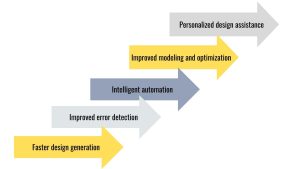
Where ML-Powered CAD Automation Delivers Real Results
- Oil & Gas Engineering. Engineering teams in oil and gas manage thousands of piping components, instrumentation specs, and material codes that must flow between CAD platforms (AutoCAD Plant 3D, AVEVA) and enterprise systems (SAP S/4HANA). Automating this data exchange eliminates the manual re-entry that introduces errors and delays. Real-world results from CAD-to-SAP integration include: BoM data entry compressed from 4 hours to under 15 minutes, error rates reduced from 15% to below 2%, and engineering-to-procurement handover shortened from 6+ weeks to 1 week.
- Construction. Formwork calculation – defining configurations for concrete pouring – is one of the most labor-intensive engineering tasks in construction. Algorithm-driven automation using AutoCAD drawings as input can compress what traditionally takes days or weeks into hours, while significantly reducing costs.
- EPC & Multi-Discipline Projects. For EPC contractors coordinating structural, piping, electrical, and instrumentation design across large facilities, automated clash detection and resolution tracking tools replace the manual review process that causes delays and duplicate work.
- Manufacturing & Specialized Production. Even in niche manufacturing – like glass embossing – CAD automation can eliminate repetitive drawing preparation by automatically generating patterns, managing design parameters, and integrating with production systems.
- Training & Operations. Beyond design, 3D simulation is used to build operator training systems. Realistic digital twins of industrial equipment enable safe, repeatable training at a fraction of the cost of live exercises – with results like 80% reduction in training incidents and 60% lower training costs per operator.
Implementation Challenges That Determine Success or Failure
- Adopting ML in CAD is not a plug-and-play process. The challenges that determine whether an implementation succeeds are rarely about the ML algorithms themselves.
- The integration gap. Major CAD vendors – Autodesk, Siemens, PTC – are adding ML features to their platforms. But real engineering workflows span multiple systems: CAD, ERP, simulation software, Excel, procurement portals, contractor platforms. Making ML work across this ecosystem requires custom integration between systems that were never designed to talk to each other. This is consistently the most underestimated part of any implementation.
- Legacy data quality. ML models need clean, structured, consistently formatted data. Most engineering departments have years of designs stored across different CAD versions, file formats, and naming conventions. Preparing this data for ML use typically consumes the majority of implementation effort.
- Domain-specific complexity. General-purpose AI tools can generate basic scripts, but they consistently struggle with tasks involving complex geometric calculations, CAD API edge cases, and multi-system integration logic. These are areas where deep platform-specific expertise (AutoCAD API, Revit API, AVEVA SDK) is essential.
- The real cost equation. The ML features themselves are increasingly bundled into existing CAD licenses. The actual cost – and the actual value – lies in the custom automation that connects these capabilities to your specific workflows, data structures, and business rules.

What’s Changing Right Now in ML and CAD
Several concrete developments are reshaping the landscape in 2025–2026:
Autodesk’s Neural CAD introduces machine learning-based geometry generation directly into Fusion and Forma – moving beyond parametric modeling toward AI-native design creation.
Tech Soft 3D’s HOOPS AI provides the first purpose-built framework for preparing CAD data for ML workflows, making it practical to build custom ML models on top of engineering data at scale.
PTC Creo 12 integrates AI-driven generative design with thermal physics, connecting design optimization directly to simulation.
The pattern is clear: ML capabilities are becoming native to CAD platforms. The competitive differentiator will not be access to these features – everyone will have them. The differentiator will be how effectively engineering teams integrate these capabilities into their end-to-end workflows, connecting design tools to enterprise systems, simulation environments, and operational processes.
Conclusion
Machine learning in CAD is already delivering measurable results – from 85% faster design turnaround to error rates cut from 15% to under 2%. The technology works, and the ROI is documented.
The practical question is always the same: how do you get from “interesting technology” to “working in our specific environment, with our specific tools and data”?
If your engineering team works with AutoCAD, Revit, Plant 3D, or AVEVA and you need to automate workflows, integrate with enterprise systems like SAP, or build custom tools that off-the-shelf software doesn’t cover – explore our CAD software development services or see real project examples.