

BIM vs Digital Twin: What Actually Has to Be Built Between Them
Ask what separates BIM from a digital twin and you’ll get the same answer everywhere: BIM is static, a digital twin is live. That’s correct, and it’s almost ...
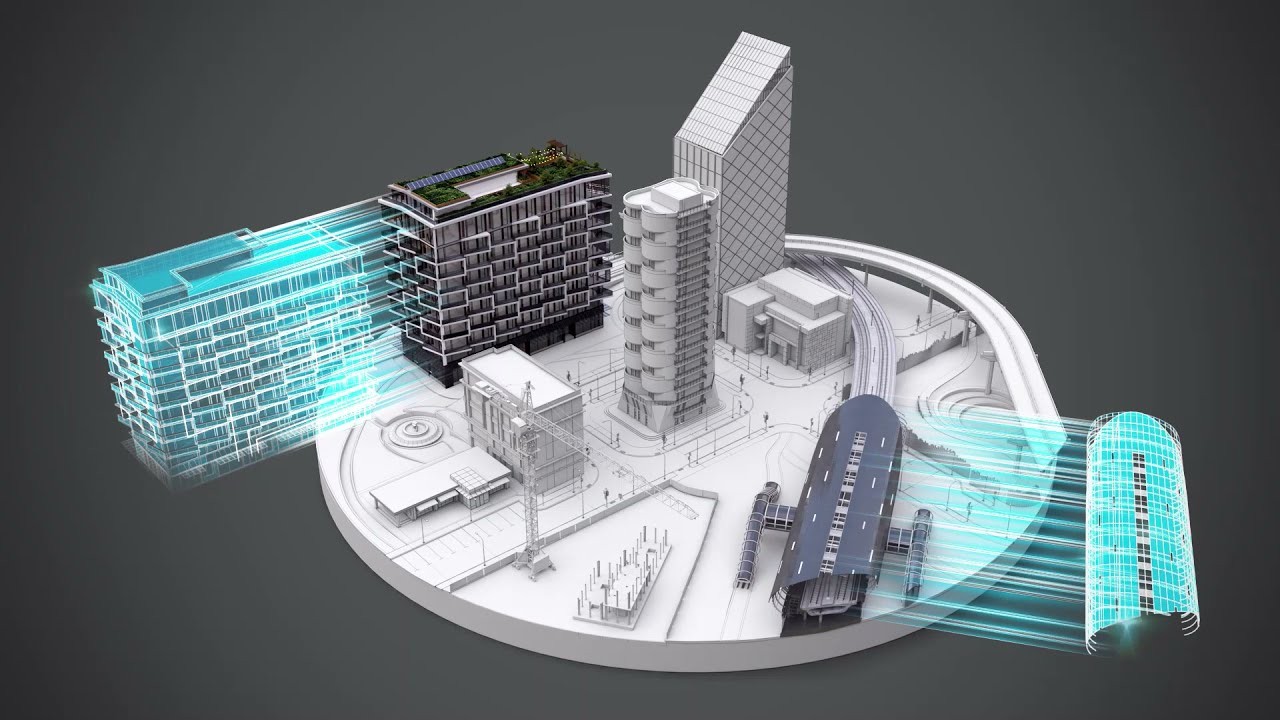
Ask what separates BIM from a digital twin and you’ll get the same answer everywhere: BIM is static, a digital twin is live. That’s correct, and it’s almost useless – because it makes the gap between them sound like a setting you switch on.
It isn’t. Going from a completed BIM model to a working digital twin means building three separate things that the model does not contain: a validated asset record your enterprise systems recognise, a behavioural model that knows how the plant responds, and an interface someone can actually operate. Each is its own project. Teams that skip that reality end up with a very expensive 3D viewer connected to a sensor feed, and call it a twin.
This article covers the definitions quickly, then spends the rest on the part nobody writes about: what carries over, what doesn’t, and what it costs to bridge.
The short version
| Aspect | BIM | Digital Twin |
| Purpose | Design, documentation, construction planning | Real-time operation, monitoring, optimisation |
| Stage of use | Design and construction | Operation and maintenance |
| Data type | Static or historical | Dynamic, continuously updated |
| Connectivity | Limited integration with live systems | Connected to IoT, sensors, control and analytics platforms |
| Output | Predictive models, project documentation | Real-time insight, simulation, decision support |
| Question it answers | “What will be built” | “How is it performing right now” |
BIM and digital twins aren’t competitors. BIM is the most common starting point for a twin – which is exactly why the handover between them is where projects lose time.
What a BIM model actually hands over
A well-built BIM model gives you three things worth a great deal: accurate geometry and spatial relationships, component-level data attached to elements, and the design intent behind both.
It does not give you four things a digital twin requires:
- The as-built state. The model reflects what was designed. Field changes, substitutions, and commissioning adjustments are frequently not fed back into it.
- Behaviour. The model knows where the compressor is. It does not know what happens downstream when that compressor surges.
- An asset record your systems recognise. Element names and classifications follow CAD conventions, not the material master and equipment record structure your ERP or maintenance system expects.
- A live connection. There’s no path from the model to the sensors, and no mechanism for the model to update when the physical asset changes.
Each of those is a build. Here’s what they look like in practice.
Build 1 – Turning model data into an asset record
This is where most twin projects stall, and it’s the least glamorous of the three.
On a midstream gas processing project, the engineering model lived in AutoCAD Plant 3D and the enterprise systems in SAP S/4HANA, with no automated connection. Every Bill of Materials – thousands of line items per package – was re-entered manually, taking around four hours per package at roughly a 15% error rate. Asset registration in SAP ran about ten days per project.
The integration we built handles that translation: a rules-based mapping engine converts CAD elements – line numbers, equipment tags, pipe specs, instrument IDs – into SAP-compliant material master and equipment records, applying naming translation, classification, and automatic assignment of procurement codes and cost hierarchies. A validation pipeline checks every record before transfer and flags failures explicitly rather than letting bad data enter silently.
- Manual data errors: ~15% → under 2%
- Asset registration in SAP: ~10 days per project → same day
- BoM data entry: ~4 hours → under 15 minutes per package
- Engineering-to-operations handover: 6+ weeks → 1 week
That handover number is the one that matters for twin projects specifically. Six weeks of manual reformatting between engineering and operations is six weeks during which the asset record and the physical plant are already diverging.
→ Read the CAD/BIM-SAP integration case study · CAD-ERP integration services
Build 2 – Giving the model behaviour
A BIM model is geometry plus attributes. A digital twin has to represent how the asset behaves – and that is a fundamentally different kind of model.
We ran into this directly building an operator training simulator for an air separation unit. The client had a detailed 3D model, P&IDs, and process flow diagrams – everything the BIM side is supposed to deliver. The 3D model gave us an accurate navigable plant: equipment positions, pipe routing, instrument locations, access routes, all matching the physical facility.
It gave us nothing about thermodynamics. ASU processes involve slow thermal dynamics, cascading interactions between compressors, heat exchangers and distillation columns, and non-linear responses to operator actions. Representing that required a separately trained process model running in real time – built around that unit’s specific column design, heat exchanger sizing, compression ratios and purity setpoints.
This is the point worth taking seriously: a generic process model attached to an accurate 3D model produces a twin that looks right and responds wrong. In a training context that’s actively dangerous – it builds confidence in responses that don’t match the real plant. In an operations context it produces predictions nobody should act on.
The simulator that resulted cut operator training time by 50%, reduced onboarding incidents by 80%, and lowered cost per operator by 60% – but the reason it worked is that the behavioural model was built for that unit, not borrowed from a library.
→ Read the ASU operator simulator case study · Operator training simulators
Build 3 – Making it operable
The third build is the one that gets cut from budgets first: someone has to use this thing.
For the ASU simulator, that meant mapping P&ID instrumentation – every transmitter, controller and valve – into an interactive interface whose controls and dashboards match the HMI operators use on the real plant. Without that, users have to mentally re-map the twin onto the actual facility, which slows learning and degrades everything the twin was built to deliver.
The same logic applies to an operations twin. A dashboard that reports on a naming scheme only the engineering team recognises will be ignored by the maintenance team it was built for.
What actually doesn’t carry over
The honest list, from projects rather than from vendor material:
- Design intent is not as-built. Before anything else, decide who owns the model after handover and how field changes get back into it. A twin fed by a model nobody updates degrades into a historical record within a year.
- LOD sufficient for construction is not sufficient for operations. A model detailed enough to build from often lacks the maintenance attributes – serial numbers, service intervals, spare part links – that operations needs.
- Classification is the hidden cost. Translating CAD conventions into the structure your ERP and maintenance systems expect is the single most underestimated line in twin budgets. It’s also where the error rate lives.
- There will always be exceptions. In our SAP integration, the residual few percent are non-standard equipment falling outside the mapping rules – flagged for human review rather than guessed at. A twin that silently guesses on edge cases isn’t more automated; it’s wrong less visibly.
Where to start
If you’re deciding whether to pursue a twin, sequence it this way:
First, fix the handover. Get model data into your enterprise systems in validated, structured form. This has a standalone ROI whether or not you ever build a twin – and if you don’t do it, the twin has no foundation.
Then add behaviour, scoped to one question. Not “simulate the plant.” Pick the thing you actually need to predict or train for, and model that.
Then connect live data. Sensors last, not first. A live feed into a model with no behavioural layer and no reliable asset record produces a real-time picture of data you can’t act on.
Teams that run this in reverse – starting with the IoT connection because that’s the visible part – spend the budget on the easiest third of the problem.
For a broader look at where custom development closes gaps standard BIM leaves, see Custom BIM Development: Where Standard BIM Stops.
Share this post:
Thinking about a digital twin, or partway into one?
The question we'd ask first isn't about sensors – it's whether your model data reaches your enterprise systems in a form they recognise. Tell us where you are and we'll give you an honest read on what the gap actually is. If the answer is "fix the handover first and revisit the twin in a year," we'll say that.