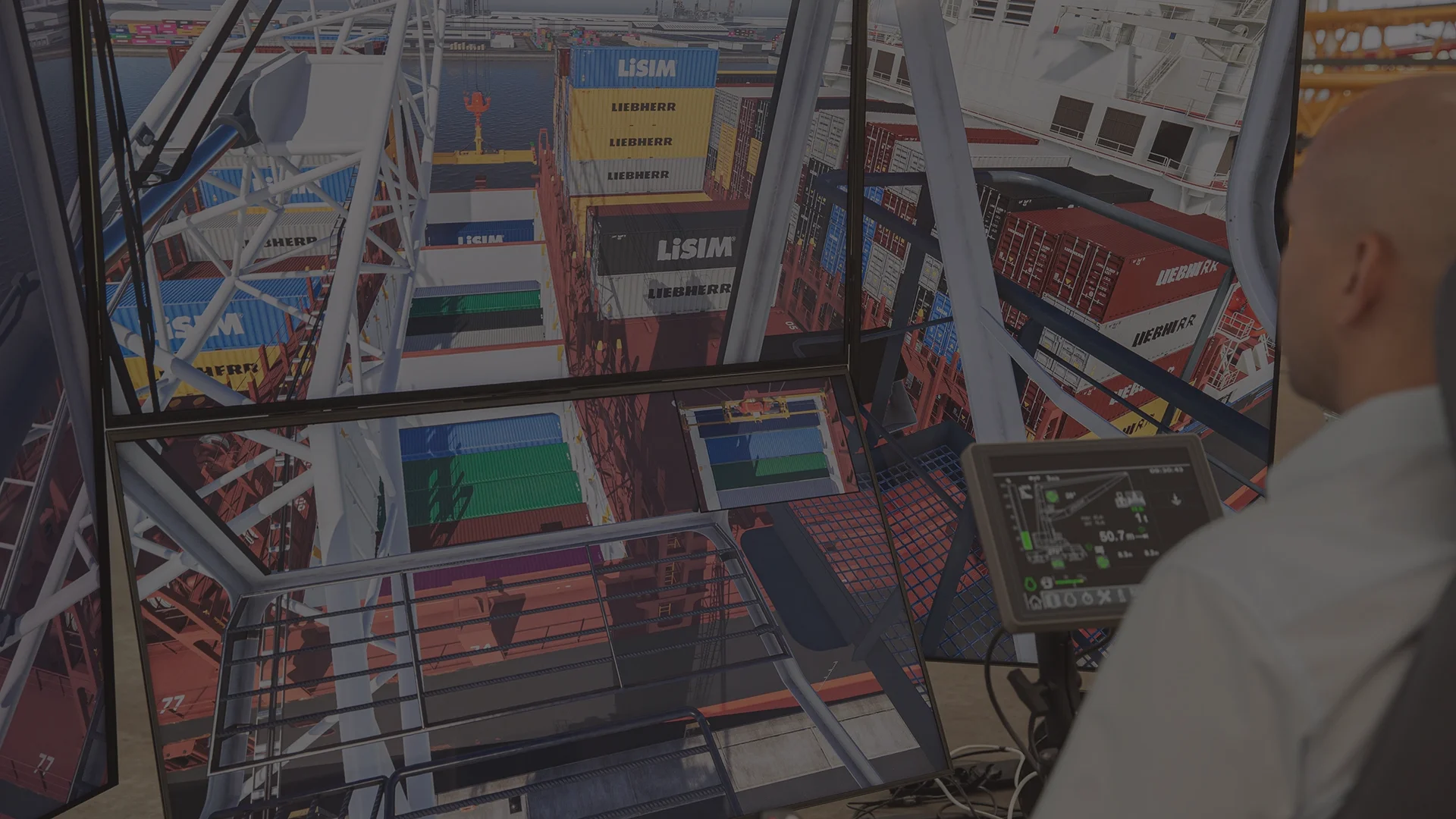

Here's What Our Tools Have Delivered on Real Project

Measured on an air separation unit against the same training workflows before the simulator was deployed.

4-6 months → 2-3 months

operator onboarding duration

-60%

training cost per operator

~60% → over 90%

procedure retention after training

-80%

incidents during onboarding

+70%

emergency response preparedness

icon
icon

Your Challenges with Operator Training

Live Training Is Expensive and Risky

Preparing equipment for training requires shutting down or isolating sections. Inexperienced operators create real safety exposures. Shutting down or isolating plant sections for onboarding disrupts production, and inexperienced operators make procedural errors that create genuine safety exposure. The cost lands twice: lost throughput while training runs, and the risk the training itself creates.
Inconsistent Knowledge Transfer

Classroom + shadowing ≠ real plant experience. Interns don't see emergency situations until they happen.

No Safe Way to Practice Emergency Scenarios

Valve failures, oxygen purity drops, power loss, cryogenic leaks – operators cannot train on these scenarios on live equipment.

Generic Simulators Train the Wrong Responses

Off-the-shelf OTSs use generalized process models. Your ASU/plant has a specific configuration that determines actual behavior. Training on a generic model creates false confidence.

Why Generic Simulators Don’t Work for Complex Facilities

Off-the-shelf training platforms use generalized process models and generic plant layouts. That creates a dangerous gap: operators learn responses that don’t match how your plant actually behaves.

Your ASU has specific thermodynamic configurations. Your refinery has specific column designs, compression ratios, and product purity setpoints. A simulator that doesn’t reflect these specifics trains operators on wrong responses – creating false confidence rather than genuine preparedness.

We build every simulator from your engineering documentation – your 3D model, your P&IDs, your process data – so operators train on exactly the equipment, layout, and control logic they’ll encounter on the real plant.

What We Build: Comprehensive Training Simulation Platform

Five integrated components that create realistic, effective operator training environments.

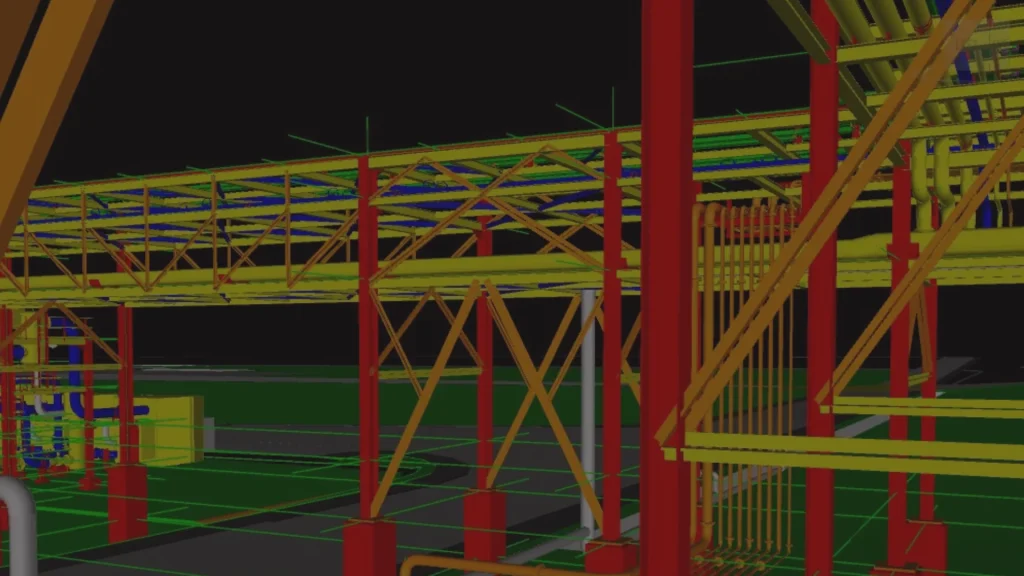
3D Plant Environment from Real Engineering Data

Built from your P&IDs, PFDs, 3D CAD models (Plant 3D, AVEVA E3D) and equipment datasheets. Equipment positions, pipe routing, instrument locations and access routes match the physical plant, so what an operator learns in the simulator maps onto what he will walk through on site.

Operator Interface Replica

Controls and instrument dashboards match the actual HMI layout operators will meet on the real plant. This is what separates training that transfers from training that has to be relearned at the panel.

Real-Time Process Behaviour Model

The plant responds like a plant. A process model simulates the thermodynamic and process behaviour of the unit in real time, reacting to both operator actions and internal system changes – so opening a valve propagates consequences, alarms cascade in a realistic order, and a wrong decision produces the upset it would produce on site. On the ASU project this model was built as a trained AI engine on the unit's process behaviour.

Failure Modes & Emergency Scenarios

Trainers trigger fault scenarios at any point in a session: oxygen purity drop, power loss, compressor surge, cryogenic leak, valve and instrument failures. Scenarios pause for discussion or replay for analysis. Operators practise across three structured modes – standard operating procedures, emergency shutdown sequences, and fault diagnosis and response.

Performance Tracking for Certification

Every trainee action is logged – correct steps, procedural deviations, response times, error patterns – producing a complete digital training record per operator. Dashboards show individual progress, cohort performance and common mistakes. Timestamped logs with competency scores replace paper-based records with evidence auditors accept.

icon
icon

Case Study

A custom Unity-based simulator directly from the client's detailed 3D model, P&IDs, and PFDs.

Operator Training Simulator for an Air Separation Unit Built from Detailed Design

Traditional training took 4-6 months with safety incidents during hands-on practice. Emergency scenarios couldn’t be practiced on live equipment – too dangerous. New operators felt unprepared when emergencies actually occurred.

We built a Unity-based 3D training simulator from their P&IDs and process models. Operators practice normal operations, startup/shutdown procedures, and emergency responses in a safe virtual environment – making mistakes and learning without real-world consequences.

Measured against the same training workflows before deployment: onboarding from 4–6 months to 2–3 months, training cost per operator down 60%, procedure retention from around 60% to over 90%, incidents during onboarding down 80%, emergency response preparedness up 70%.

See More Details
Operator Training Simulator for an Air Separation Unit Built from Detailed Design

Who Benefits from Training Simulators

Applicable wherever live training is risky or expensive: oil & gas processing, LNG and refining, chemical and petrochemical, power generation, industrial gas production, and mining and minerals processing.

HSE Directors and Safety Managers

Incidents during onboarding down 80%, and digital training logs with timestamps and competency scores that stand up in an audit.

Training Managers and L&D Teams

Procedure retention from around 60% to over 90%, with cohort dashboards showing where the common mistakes are.

Operations VPs and Plant Managers

Onboarding from 4-6 months to 2-3, training cost per operator down 60%, and no production interruption to run it.

Frequently Asked Questions

Ask Your Question

How much does an operator training simulator cost?

Project scope depends on facility complexity, the number of process units, and the fidelity level required. A single-unit simulator (like our ASU project) is a different investment than a multi-unit refinery training platform. We scope every project after reviewing your engineering documentation – book a discovery call to get a ballpark based on your specific facility.

How long does it take to build a simulator?

A typical single-unit simulator takes 10–16 weeks from engineering data handoff to deployment-ready build. The timeline depends on the completeness of your 3D model, the number of interactive scenarios required, and the deployment platforms you need. We deliver a functional concept within the first 3 weeks so you can validate direction early.

Can you build from P&IDs without a 3D model?

Yes. If you don’t have a detailed 3D CAD model, we can construct the 3D environment from P&IDs, PFDs, equipment datasheets, and general arrangement drawings. The result is less geometrically precise than building from a full 3D model, but still accurate enough for effective operator training – correct equipment placement, piping topology, and instrumentation locations.

What VR headsets do you support?

Desktop deployment is what we’ve delivered and what most clients start with it needs no special hardware and supports remote training. The simulator core also targets VR: Meta Quest standalone, HTC Vive, and SteamVR-compatible headsets, plus tablets for field reference. VR deployment is scoped explicitly in the project rather than assumed.

How do simulators help with regulatory compliance?

The performance tracking system automatically generates digital training records – timestamped logs of every operator action, procedure completion data, error patterns, and competency scores. These records provide the documented evidence regulators and auditors require to verify operator proficiency, replacing paper-based training logs with objective, verifiable data.

How do you validate that the simulator behaves like the real plant?

The process behaviour model is built from your engineering data and validated against known plant responses with your process engineers before scenarios are authored. Fidelity is agreed as an acceptance criterion at the start which unit operations must respond correctly, and within what tolerance rather than assessed after delivery.

What Unit Do You Need to Simulate?

Book a discovery call where you share the process unit or facility you need to simulate – air separation, chemical reactor, distillation column, compression system, power generation, whatever operators need training on.

38 Middlehill Road,
Wimborne, BH21 2SE