
Here's What Our Tools Have Delivered on Real Projects

Delivered engagements, details under NDA

70% Cost Reduction

Formwork calculation cost per project

85% Faster Turnaround

From weeks to hours per project

$180K Avoided

Material waste eliminated on one project

icon
icon
Optimised panel layout

The Problem You Know Too Well

A typical deck takes your designers 2-12 hours of layout work. The rules that make a layout right live in your senior engineers’ heads: corner conditions, safety restrictions, and the reuse patterns from the yard. Generic vendor tools only cover their own panel system, so mixed and proprietary fleets stay manual. 

And even within one system, generic tools optimise locally. They work corner to corner, wall by wall, without seeing the plan as a whole. So a panel gets placed in one spot when it was needed in another, and your team ends up redoing whole sections by hand. That rework is where the hours go.


“The thing that takes time is the corners, because it’s always like an extension.” – Head of Design, Australian formwork contractor

What FormCalc Does

  • Reads your drawings directly in AutoCAD, no re-entering geometry
  • Lays out panels under your written and unwritten rules, captured during onboarding
  • Optimises reuse across pour stages against your real panel stock, so you buy less and move less
  • Outputs what your team actually uses: layout sheets, procurement-ready BOM in your format, shop and fabrication drawings in your drawing style
  • Works with any system: such as DOKA, PERI, MEVA, Acrow, or your own proprietary panels and tables

Proven in the Field

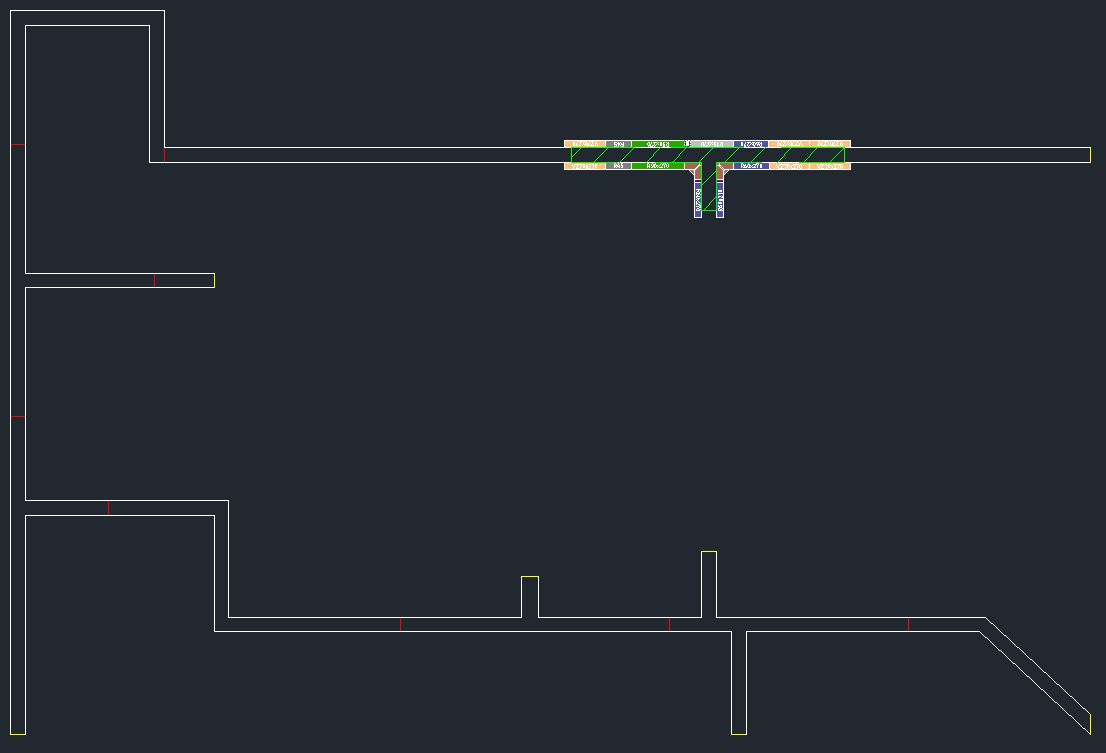
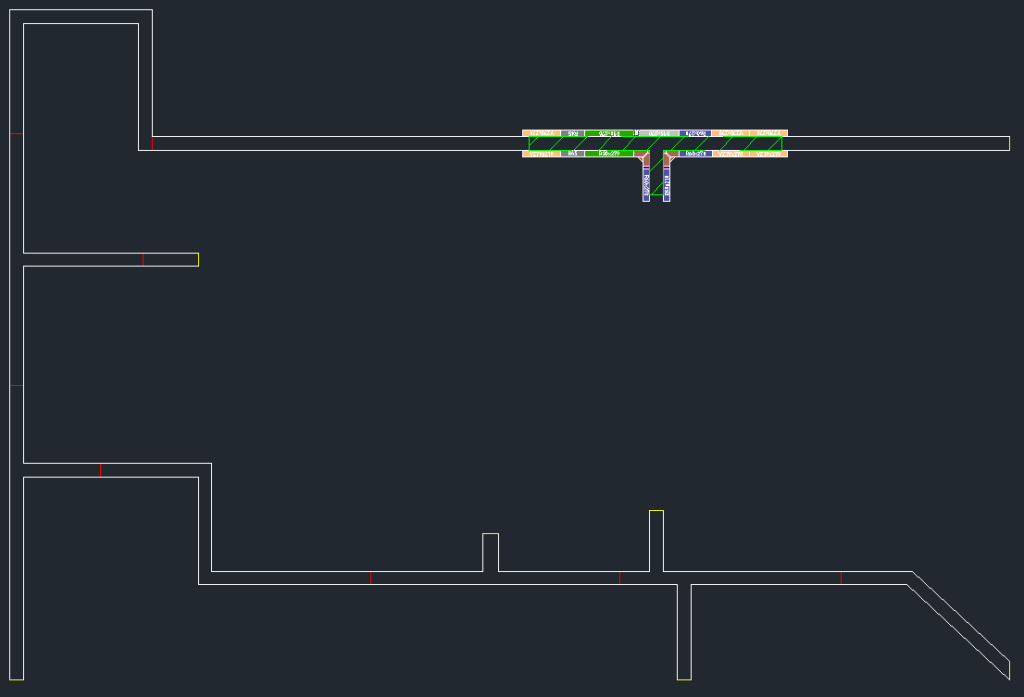
Real numbers from a live FormCalc deployment, configured to a contractor’s own panel system and rules.

POSforAFS: Automating Formwork Calculations Directly Inside AutoCAD

Built on FormCalc, configured to the client’s proprietary panel system and rules.

An Israeli construction firm was spending 3 months per project on manual formwork calculations. Each engineer used a different method. Errors led to $180K in material waste on one project alone. Moreover, the company couldn’t grow without hiring more senior engineers – and those take years to train.

Result: 70% cost reduction. 85% faster turnaround. Engineers freed from calculation work entirely.

Read More About POSforAFS
POSforAFS: Automating Formwork Calculations Directly Inside AutoCAD

Manual Formwork Calculation vs. FormCalc

Manual Process FormCalc
Calculation
turnaround
2-21 days depending on complexity Hours – 85% faster
Formwork cost accuracy Varies by engineer experience;
$180K+ waste on one analysed
project
Algorithmic optimisation – 70% cost reduction
Panel reuse optimization Pragmatic guesses; rarely optimal Combinatorial algorithm maximises reuse across all pour stages
Impact of design changes Full manual recalculation – 1-3
days per revision cycle
Automatic recalculation from updated AutoCAD drawing
Dependency on
senior engineers
High – junior engineers make conservative, expensive choices Zero – consistent output regardless of who runs it
Scalability Hire more senior engineers (years
of training)
Same tool handles 1 project or 50
Output format Spreadsheets and manual material
lists
Procurement-ready panel layouts, material takeoffs, and load calculations – generated automatically


Why Choose InStandart for Formwork Automation?

The hard part of formwork automation isn't writing code – it's capturing how your team actually works. The corner conditions, the safety restrictions, the reuse logic from the yard, the rules your senior engineers apply without thinking. We build that understanding into the engine. That's the difference between a generic tool and one your engineers trust.

We Capture Your Rules, Not Generic Ones

Generic formwork tools optimise corner-to-corner and miss the plan as a whole – so they reuse a panel in one place that was needed in another, and your team redoes the layout. FormCalc works from your written and unwritten rules, captured during onboarding, and optimises reuse across the entire pour sequence. The result reflects how your best engineer would lay it out – every time, regardless of who runs it.

Built Around Your Panel Catalogue

DOKA, PERI, ULMA, MEVA, or your own proprietary panels – each system has its own dimensions, connection hardware, and load ratings. We configure the engine around your actual supplier catalogue and your real yard stock, not a theoretical panel set. The output is procurement-ready, in your format, with no manual translation.

"We do have our own formwork table system where we have like 32 different sized table panels." – Project Manager, Australian formwork contractor

15+ Years Delivering Engineering Projects

We're an engineering team that builds software, not a software shop guessing at engineering. Fifteen-plus years delivering real engineering projects across construction, formwork, and EPC means we understand the workflow behind the drawing – why a layout is right, where manual calculation breaks down, and what your procurement and field teams actually need from the output.

Feedback From a Client About a Completed FormCalc Project

It was a real pleasure working with them

Firstly we were cautious about InStandart. We never heard about such company, nor we didn’t know if something like things that were promised, were possible. In the end InStandart proved itself. They were always consulting direction of the project. They made corrections, if something was wrong and incorporated every demand. Every two weeks they delivered a new version and by the end of the project it was even every week. And mainly they delivered what was promised. It was a real pleasure working with them.

Testimonial from a client Ladislav Zahradník

Ladislav Zahradník

Lead engineer at TEBAU

How You Buy

Every formwork automation project follows four phases – from paid Discovery that defines ROI before commitment, through a PoC against your real drawings, to fixed-price full deployment. Typical payback: 2 to 3 projects. You can stop after any step; fees credit forward, nothing is paid twice.

Step 1

ROI Snapshot – free, 30 minutes

Send one drawing set, and we will return a sample takeoff and an estimate of what FormCalc would save on your volumes. No commitment.

Step 2

Discovery – from $5K, 1-2 weeks

We audit your workflow and panel catalogues and give you a fixed-price quote with ROI on your own numbers. The fee is credited into the build.

Step 3

Pilot on your live project – from $7K, 3-5 weeks

We configure the engine to your panels and prove it on one of your real projects. Acceptance: our layout and BOM hold up against your engineers’ manual result. Credited into the build if you proceed within 60 days. Nothing is deployed during the pilot, so there is no licence obligation if you stop here.

Step 4

Build + Care – implementation from $25K, 6 to 10 weeks

Production deployment configured to your environment, team training included. Runs on an annual Platform & Care plan from $5K plus $1,500 per named seat.

Contact Us to Know More About FormCalc

Get Your Project Roadmap

Why Every Deployment Ships With Platform & Care

AutoCAD and Revit ship new versions every year, and their APIs change. Your panel catalogues and rules evolve. Care keeps FormCalc current: compatibility builds, catalogue updates, fixes, and a named contact. If the tool ever produces a wrong number, that is our problem to fix. A licence without active Care is not supplied: it would stop working within a release cycle or two. At roughly 10-15% of the build cost, Care sits right at the enterprise-software standard – less than a week of a senior engineer's time a year. And it replaces exactly the work that would otherwise land back on their desk after every Autodesk release.

Standard

Keeps FormCalc running on your current AutoCAD or Revit version with compatibility builds after each Autodesk release. Covers bug fixes and email support with a defined response window. The right fit for a single team running a stable panel catalogue.

Priority

Everything in Standard, plus a faster response SLA when something blocks a live project. Includes a quarterly improvement pool – a set allocation of engineering hours you direct toward catalogue updates, rule refinements, or small enhancements as your work changes. For teams where FormCalc sits on the critical path.

Dedicated

Everything in Priority, plus a named engineer who already knows your configuration, so there is no ramp-up when you call. You get direct influence over the FormCalc roadmap – the features your team needs get prioritised. Built for multi-team or multi-site deployments, treating formwork automation as core infrastructure.

Your proven formwork engine, engineered for Revit

The optimisation core of FormCalc is platform-independent. For Revit-first teams, we offer a de-risked path: proof on your sample models first, then a staged build, so you see the engine working on your data before any platform commitment. One engine, any platform.

Technologies We Use

Autodesk AutoCAD logo AutoCAD .NET API
AutoLISP logo AutoLISP
AutoCAD Plant 3D logo Plant 3D SDK
ObjectARX C++ logo ObjectARX (C++)
C# logo C#
Microsoft .NET Framework logo .NET Framework
Microsoft WPF logo WPF

Frequently Asked Questions

Ask Your Technical Question

How much does FormCalc cost?

Pricing follows the steps above. A paid Discovery starts at $5K and an optional live pilot at $7K, both credited into the build. The production build starts at $25K, with an annual Platform & Care plan from $5K plus $1,500 per named seat. A typical mid-size deployment lands at $35K to $70K for year one, all in. Discovery gives you a fixed price on your own numbers before you commit.

How long does deployment take?

Plan on 8 to 12 weeks end-to-end: Discovery 1 to 2 weeks, an optional pilot 3 to 5 weeks, and the production build 6 to 10 weeks, depending on how many formwork systems and geometry types you need. You will see the engine running against your own drawings during the pilot, not at the very end.

Can we try it before committing?

Yes, that is what the pilot is for: a fixed-price proof on one of your live projects, judged against your own engineers’ manual result. Pilot and Discovery fees are credited into the build.

What formwork systems does the automation support?

The engine is configured to your catalogue: DOKA, PERI, ULMA, MEVA, Acrow, or your own proprietary panels and tables. It works from your real sizes, connection hardware, load ratings, and yard stock, not a theoretical panel set. Running a mixed or proprietary fleet is our core use case, not an exception.

Can the system handle complex concrete geometries?

That is where automation helps most. Irregular perimeters, openings, level changes, and curved elements create a combinatorial problem that scales nonlinearly, exactly where manual calculation gets slow and conservative. FormCalc was built for the structures where generic tools break down.

What’s the typical ROI from FormCalc?

The FormCalc deployment delivered a 70% reduction in formwork calculation costs and 85% faster turnaround. One project we analysed had $180,000 in material waste from manual calculation errors alone. For firms running multiple formwork design cycles annually, the system typically pays for itself within 2-3 projects. Beyond direct cost savings: senior engineers freed from repetitive calculation work, elimination of recalculation bottlenecks during design changes, and consistent output quality that doesn’t depend on who runs the calculation.

Does this replace our existing CAD workflow?

No. The system works inside AutoCAD – engineers continue working in their existing environment. FormCalc reads structural geometry directly from the current drawing, so there’s no data export, no separate software to learn, and no workflow disruption. It replaces the calculation layer, not the engineering workflow.

What if our structural design changes mid-project?

Design changes are one of the biggest cost drivers in manual formwork calculation – each revision forces 1-3 days of full recalculation. With automation, recalculation triggers directly from the updated AutoCAD drawing. Column repositioned, beam depth changed, slab thickness modified – the system recalculates affected formwork zones automatically, keeping procurement timelines intact instead of adding days to the critical path.

What happens if we stop after the pilot?

You keep the comparison report and your rules captured in writing. Nothing is deployed during the pilot, so there is no software to license or maintain if you decide not to proceed.

Won’t AI be able to do this for free in a few years?

Generative AI writes text and code probabilistically. Formwork layout is a deterministic combinatorial optimisation problem solved against your real panel catalogue, load ratings, and site safety restrictions, where a wrong answer costs real money on site. A general-purpose AI can draft code, but it can’t guarantee a layout, and no one stands behind its output. FormCalc ships with an acceptance test our layout and BOM hold up against your engineers’ manual result and a contractual commitment: if it ever produces a wrong number, fixing it is our problem. We use AI heavily in development ourselves; that’s already priced into the build. What AI doesn’t replace is your captured rules, a verified engine, and accountability.

How do we choose which workflow to automate first?

That’s what Discovery answers with data rather than opinion. We map your candidate workflows panel layout, tableform, backpropping, takeoff and BOM generation, shop drawings, and any proprietary steps you run and rank them against three criteria: engineering hours consumed per project multiplied by project frequency, how clearly the rules can be captured, and whether the drawing data is already available. Phase one starts where payback is fastest. Because it’s one engine underneath, every other workflow then extends from the same platform added incrementally as each pays off, with no re-buying and no second integration.

Related CAD Engineering Solutions

If formwork calculation is one of several CAD bottlenecks in your organisation, you may also need:

CAD-ERP Integration (DesignBridge)

Sync formwork material takeoffs directly into SAP or ERP

DesignBridge Page

CAD Data Export & Reporting (DrawExtract)

Extract structural data from AutoCAD into structured Excel reports

DrawExtract Page

AutoCAD Plugin Development

Custom AutoCAD plugins beyond formwork

AutoCAD Plugin Development Page
icon
icon

How Much Is Manual Formwork Calculation Costing Your Projects?

Book a 30-minute call where we'll walk through one of your recent formwork designs – how long it took, how many engineers were involved, what errors occurred, and how much material was ordered.

38 Middlehill Road,
Wimborne, BH21 2SE

    What You’ll Get in 48 Hours After Discovery Call

    • Detailed analysis of your current formwork calculation workflow
    • Panel library compatibility assessment (DOKA, PERI, ULMA, MEVA, proprietary)
    • Technical approach and architecture recommendations
    • Development timeline with milestones
    • ROI projection based on your project economics
    • Implementation roadmap with fixed-price scope