InStandart logo mobile
Book a call

What Types of AutoCAD Plugins Do We Build?

From intelligent geometry analysis to enterprise system integration – we build AutoCAD plugins that solve real engineering challenges.

Geometry Analyzers

Our geometry analysis plugins understand structural elements, mechanical assemblies, piping systems, and architectural components. They perform intelligent calculations that would take hours manually – concrete volumes, formwork areas, rebar quantities, material weights, load distributions, and code compliance checks.

Data Bridges (AutoCAD ↔ Excel / SAP / ERP)

We build bidirectional integrations where changes in AutoCAD automatically update your ERP, and procurement data flows back into drawings. Whether it's syncing equipment specifications to SAP, pushing bills of materials to Oracle, or connecting design revisions to project management systems – our plugins ensure your CAD data and business systems stay in sync.

Workflow Automation

From processing hundreds of drawings overnight to generating complete drawing sets from templates, our automation plugins eliminate the manual, repetitive work that slows your team down. We build intelligent automation that handles the tedious tasks while maintaining accuracy and consistency.

Custom UI Panels (WPF-Based Toolbars Inside AutoCAD)

We design custom ribbons, dockable palettes, and interactive dialogs that match AutoCAD's look and feel while providing powerful interfaces for your specialized workflows. From parametric design configurators to project management dashboards, our WPF-based UIs make sophisticated automation tools easy for engineers to use.

icon
icon

Case Studies

Real projects and real examples.

POSforAFS: Automating Formwork Calculations Directly Inside AutoCAD

An Israeli construction firm was spending 3 months per project on manual formwork calculations. Each engineer used a different method. Errors led to $180K in material waste on one project alone. Moreover, the company couldn’t grow without hiring more senior engineers – and those take years to train.

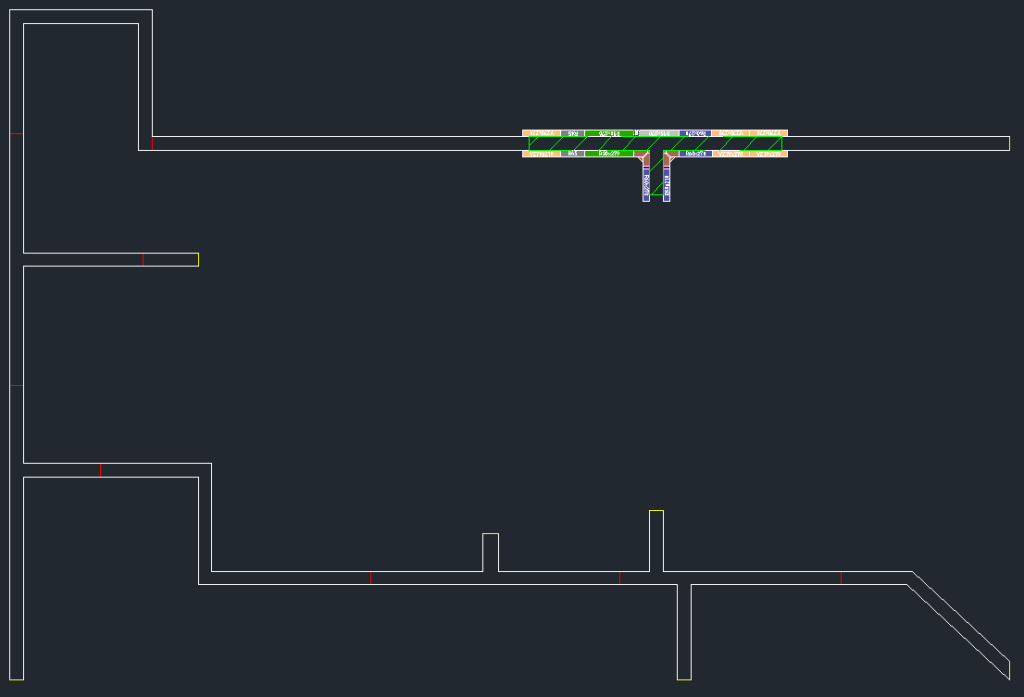
We built an AutoCAD-integrated tool that reads concrete outlines, picks optimal panels, plans reuse, and outputs complete material lists.

Result: 70% cost reduction. 85% faster turnaround. Engineers freed from calculation work entirely.

Read More About POSforAFS
POSforAFS: Automating Formwork Calculations Directly Inside AutoCAD

3D Model Review Tool for Multi-Disciplinary Clash Management on a Gas Processing Facility

Eight engineering disciplines. Hundreds of clashes. All tracked in Excel with no version control. Coordination meetings wasted time arguing about which model was current.

We deployed an automated platform with version control, duplicate filtering, assignment workflows, and live dashboards. The result: coordinators could stop chasing spreadsheets and start solving actual design problems.

Result: 50% faster reviews. 80% fewer manual errors. 90% better cross-team coordination.

View More Details
3D Model Review Tool for Multi-Disciplinary Clash Management on a Gas Processing Facility

Integration of CAD/BIM with SAP for a Midstream Gas Processing Plant

A gas processing plant had constant mismatches between their AVEVA E3D models and SAP. Engineers transferred data by hand, which caused frequent BOM errors and delayed procurement. The wrong materials showed up on site – and the right ones arrived late.

We built a sync tool that connects E3D directly to SAP. It auto-tags assets, validates specs against master data, and keeps both systems current throughout the project.

Result: 85% better data sync. 70% fewer data-related reworks. 60% faster procurement readiness.

More Information About Case
Integration of CAD/BIM with SAP for a Midstream Gas Processing Plant

How Does AutoCAD Plugin Development Work?

Our development process follows four phases – from discovery through ongoing support – designed to de-risk the project early and deliver measurable ROI. Most plugins go from concept to production deployment in 8–14 weeks, depending on complexity and integration requirements. Here is how each phase works.

Phase 1

Discovery (1-2 Weeks)

We start by deeply understanding your workflows, pain points, and requirements:

  • Workshop sessions with your engineering team to map current workflows
  • Analysis of sample drawings, data structures, and integration requirements
  • Identification of automation opportunities and ROI calculations
  • Technical architecture design and feasibility assessment
  • Detailed scope document with features, timeline, and cost estimate

Deliverable: Comprehensive requirements document, technical specification, UI mockups, and development roadmap with milestones.

Phase 2

Proof of Concept (2-3 Weeks)

Before full development, we build a working prototype to validate the approach:

  • Core functionality implementation (geometry analysis, calculation logic)
  • Basic UI prototype to demonstrate user interaction
  • Testing with your actual drawing files and data
  • Performance validation and optimization
  • User feedback sessions and requirement refinement

Deliverable: Working proof-of-concept plugin that demonstrates key capabilities and validates technical feasibility. This de-risks the full development phase.

Phase 3

Full Build (4-8 Weeks)

With validated requirements and proven concept, we build the production-ready plugin:

  • Complete feature implementation based on approved scope
  • Polished WPF user interface with ribbons, palettes, and dialogs
  • Integration with external systems (Excel, databases, ERP, web services)
  • Comprehensive error handling and input validation
  • User documentation and training materials
  • Deployment package and installation scripts
  • User acceptance testing with your engineering team

Deliverable: Production-ready plugin with installer, documentation, and training – ready for enterprise deployment across your organization.

Phase 4

Support & Evolution (Ongoing)

After deployment, we provide ongoing support and enhancement:

  • Bug fixes and technical support
  • AutoCAD version compatibility updates
  • Feature enhancements based on user feedback
  • Performance optimization as usage scales
  • Integration with new systems as your infrastructure evolves
  • Training for new team members


Support options: We offer flexible support plans – from ad-hoc support to dedicated development resources for continuous plugin evolution.

Contact Us To Know More About Your Project Roadmap

Get Your Project Roadmap

How Much Does AutoCAD Plugin Development Cost?

Typical AutoCAD plugin projects range from $20,000 to $80,000 depending on scope and complexity. A focused geometry analyzer or data export tool with a standard UI sits at the lower end. Plugins that involve bi-directional ERP integration, complex combinatorial optimization logic, or multi-system workflows with custom dashboards sit at the higher end.

Every project starts with a paid Discovery phase ($3,000–$5,000) that produces a detailed scope, architecture, and fixed-price estimate for the full build – so you know the exact investment before committing.

For context: our POSforAFS formwork plugin delivered a 70% reduction in calculation costs. At an average engineering rate of $100/hour, plugins in this category typically pay for themselves within the first 2–4 projects.

Why Choose InStandart for AutoCAD Plugin Development?

Client's trust: 140+ completed projects

15+ years building inside AutoCAD's geometry engine.

We don't generate code with AI tools and hope it compiles. Our team works at the ObjectARX and .NET API level – where geometry kernels, drawing databases, and CAD-specific data structures require deep platform knowledge that generic developers don't have.

Client's trust: 140+ completed projects

Proven results across construction, oil & gas, and EPC.

Our POSforAFS plugin cut formwork costs by 70%. Our CAD-to-SAP integration reduced BoM errors from 15% to under 2% and saved $120K annually. Our 3D Model Review Tool cut review time by 50% and manual errors by 80% on a gas processing facility.

Client's trust: 140+ completed projects

We solve the problems where off-the-shelf tools fail.

Manufacturer software (DOKA, PERI) uses generic panel libraries. Standard connectors can't handle project-specific SAP mapping rules. AutoCAD's native data extraction is a data dump, not a report. We build what those tools cannot.

Client's trust: 140+ completed projects

You pay for outcomes, not hours.

Fixed-price development after a paid Discovery phase. PoC before full build commitment. Every project scoped around measurable ROI – cost reduction, time saved, errors eliminated.

Feedback From a Client About a Completed AutoCAD Project

Excellent Service

InStandart’s work complied with the end client’s criteria, and the project management was great. The team fully met the client’s requirements with items delivered on time. InStandart was professional, provided excellent service, and was outstandingly cooperative and precise throughout the project.

Reviews, client review, clients, software development, software development company, software development, software, recognition, industry recognition, money, pic, picture, feedback, client feedback

Oleg Menhel

Rvm systems (1998) Ltd.

Our Tech Stack

AutoCAD plugins

Autodesk AutoCAD logo AutoCAD .NET API
ObjectARX, C++ ObjectARX (C++)
AutoLISP logo AutoLISP
C# programming language C#
Microsoft .NET Framework logo .NET Framework
Microsoft WPF logo WPF
AutoCAD Plant 3D logo Plant 3D SDK

ERP integrations

SAP S/4HANA logo SAP S/4HANA APIs
Oracle ERP Cloud logo Oracle ERP Cloud
Oracle E-Business Suite logo Oracle E-Business Suite

Frequently Asked Questions

Ask Your Technical Question

How much does AutoCAD plugin development cost?

Most AutoCAD plugin projects fall in the $20,000–$80,000 range. A focused data extraction or calculation plugin with a standard WPF interface costs $20,000–$35,000. Plugins with bi-directional ERP/SAP integration, complex optimization algorithms, or multi-system dashboards range from $40,000–$80,000. Every engagement starts with a Discovery phase ($3,000–$5,000) that produces a fixed-price scope for the full build.

How long does it take to develop an AutoCAD plugin?

Typical timeline is 8–14 weeks from Discovery to production deployment. Discovery takes 1–2 weeks, the Proof of Concept takes 2–3 weeks, and the full build takes 4–8 weeks depending on scope. Simpler plugins (data export, basic geometry analysis) are faster. Plugins with ERP integration or complex optimization logic take longer.

What AutoCAD versions do you support?

We build plugins compatible with AutoCAD 2020 through the current release (2026), including vertical products like AutoCAD Plant 3D, AutoCAD Architecture, and AutoCAD MEP. We also handle version migration – updating legacy plugins built for older AutoCAD versions to work with current releases.

Can you integrate AutoCAD with SAP?

Yes. We built a bi-directional CAD-to-SAP integration platform for a midstream gas processing plant that reduced BoM data entry from ~4 hours to under 15 minutes per package and cut manual data errors from 15% to under 2%. We handle schema mapping between AutoCAD Plant 3D and SAP S/4HANA, automated validation pipelines, and real-time synchronization of Bills of Materials, equipment IDs, and asset metadata.

Do you provide ongoing plugin support?

Yes. After deployment, we offer flexible support plans covering bug fixes, AutoCAD version compatibility updates, feature enhancements, performance optimization, new system integrations, and training for new team members. Most clients start with ad-hoc support and move to a dedicated development retainer as their plugin evolves.

Can you work with our existing AutoCAD customizations?

Yes. We regularly extend or rebuild plugins that were started in-house or by other vendors. We audit the existing codebase, assess what can be retained versus rebuilt, and provide a clear plan for integrating new functionality with your existing AutoCAD environment – including custom toolbars, LISP routines, and .NET add-ins.

How do you ensure plugin compatibility across multiple AutoCAD versions and Plant 3D releases?

Compatibility is an architectural decision, not a patching exercise. Four practices make this work:

Abstraction layer. Business logic geometry, calculations, validation rules sits in version-independent modules. Only a thin adapter talks to the AutoCAD .NET API and Plant 3D’s PnP3dObjects. When Autodesk changes signatures, the adapter changes; the core doesn’t.

Lowest-version compile, multi-version validation. We build against the oldest AutoCAD release in your environment and run an automated regression suite against every release up to current. The same binary runs on AutoCAD 2022 through 2026 in our reference deployments.

Plant 3D-specific test matrix. Plant 3D’s project database schema and SDK shift more aggressively than core AutoCAD between releases. We maintain a dedicated harness validating extraction logic across Plant 3D 2020, 2022, 2024, and 2026 catching schema drift before it reaches production. This is the architecture behind our CAD-SAP integration platform, which cut BoM error rates from 15% to under 2% in an Oil & Gas EPC deployment.

Contractual version SLA. Within 30–45 days of an Autodesk release, you get a compatibility-verified build. Not best-effort contractual.

What happens if our internal team needs to modify the plugin after delivery?

We build plugins as products, not project artifacts which means we own the roadmap, the new feature work, and the long-term evolution of the tool. Your team focuses on engineering; we handle what changes in the plugin.

New requirements go through our product team. When your workflow evolves new calculation rules, new export formats, new optimisation parameters, integration with another system — you submit the requirement, we scope it, deliver, and validate. This is faster and cheaper than maintaining .NET CAD expertise in-house, and it keeps a single team accountable for the product’s quality.

Configuration without code, where it makes sense. Routine adjustments layer mappings, parameter defaults, report templates are exposed as configuration so your engineers can change them directly without releases. POSforAFS was designed this way: formwork engineers tune optimisation parameters through the interface, not through code changes.

Support and upgrades are part of the engagement, not extras. Bug fixes, Autodesk-version updates, and compatibility patches are included under the support agreement. You’re not paying per-hour for things that should just work.

Long-term partnership, not a transaction. Every plugin we deliver has a named technical owner on our side for the lifetime of the product. The team that builds it is the team that evolves it no handoff to a generic support queue, no losing context six months in.

Describe Your AutoCAD Workflow Challenge

Book a 30-minute consultation to walk us through the manual tasks, repetitive processes, or integration challenges you're facing in AutoCAD. We'll analyze your workflows, identify what can be automated, and propose a custom plugin solution with a detailed scope, development timeline, and projected ROI based on time and cost savings.

38 Middlehill Road,
Wimborne, BH21 2SE

    What you’ll get

    • Analysis of your AutoCAD workflow challenges
    • Custom plugin concept with feature breakdown
    • Technical approach and architecture overview
    • Development timeline with phases and milestones
    • ROI projection based on hours saved and cost reduction
    • Next steps for proof-of-concept or full development