


Engineering-first team.
- We speak the language of engineers.
- Our specialists understand structural calcs, process plant design, and BIM coordination – not just API docs.


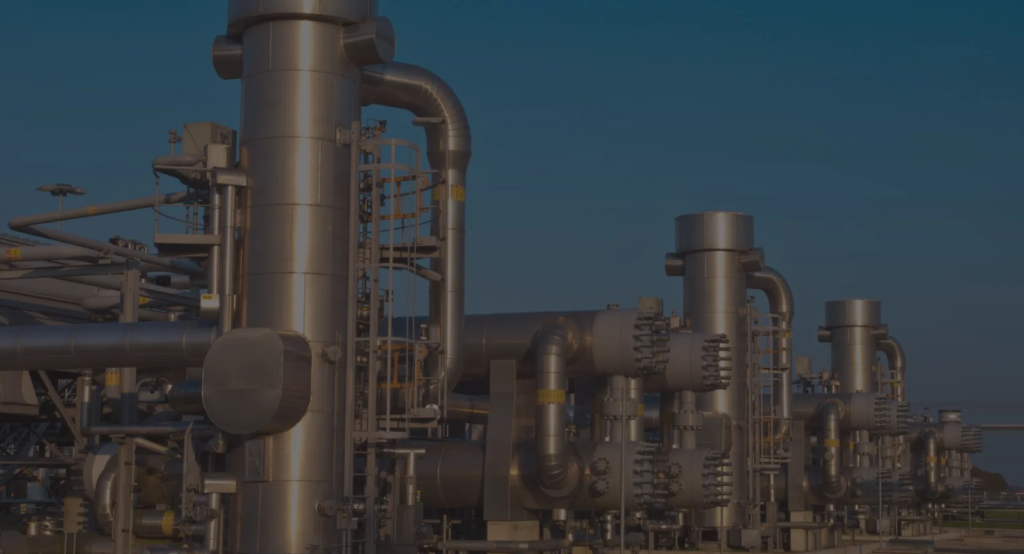
For a midstream gas processing plant
Integration of CAD/BIM with SAP case
With automated clash detection tools
3D model review tool case
In short, CAD automation means replacing repetitive manual work inside design software with custom-built tools. Instead of copying data from drawings by hand, the software does it in seconds. Instead of checking clashes in a spreadsheet, a platform handles it in real time.
However, off-the-shelf tools like AutoCAD and Revit only cover generic tasks. As a result, every engineering team develops workarounds – spreadsheets for formwork calcs, manual copy-paste for BOMs, Excel trackers for clash reports. These workarounds eat thousands of hours each year and create errors at every step.
That’s where custom CAD automation comes in. Specifically, we build tools that solve problems platform vendors don’t touch. For example, connecting your CAD data to SAP automatically. Or running formwork calculations that DOKA and PERI software can’t handle for non-standard geometries. In other words, we close the gap between what your CAD platform does and what your project actually needs.
We build automation tools for the platforms your team already uses. Below are the two platforms we have the deepest expertise in – along with others we support.
We build custom plugins, write AutoLISP routines for quick wins, and create batch scripts that process hundreds of drawings overnight. We develop data extraction tools and ERP connectors that sync drawing data with SAP and Oracle in real time.
Explore AutoCAD Automation ServicesFor oil & gas and process plant teams, we extend AVEVA E3D with PML-based tools, catalog changes, and validation rules. We also automate AVEVA Diagrams so that P&ID updates flow straight into the 3D model – and vice versa.
Explore AVEVA E3D ServicesWe also build Revit API plugins, Dynamo scripts, and family tools for construction and MEP teams. Similarly, for manufacturing, we connect SolidWorks to ERP systems through API development.
Each tool below solves a specific bottleneck that slows down your projects. They deploy in weeks, not months – and every one has a proven track record with real metrics.
Formwork design takes 2–3 weeks per building when done by hand. Senior engineers measure, calculate, and build material lists – while your project timeline waits. FormCalc reads AutoCAD drawings, identifies concrete elements, applies engineering rules, picks the best panel setup, and generates takeoffs. The entire process runs in hours, not weeks.
Learn more about Formwork AutomationEngineering teams spend days pulling specs and material lists from Plant 3D or AVEVA E3D, formatting them into spreadsheets, and typing them into SAP. This wastes time and creates errors that lead to wrong orders. DesignBridge automates the full flow.
Learn more about CAD-ERP IntegrationMost EPC projects still track clashes in Excel. Someone exports a report, copies it into a spreadsheet, emails it around, and chases updates for days. ClashFlow runs detection on every model check-in, removes 90% of duplicates, assigns issues to the right people, and shows real-time status on a web dashboard. Consequently, no one needs a CAD license just to check progress.
Learn more about Clash DetectionIf your engineers copy data from AutoCAD to Excel by hand, DrawExtract removes that work entirely. It extracts data based on rules you define, runs calculations, and outputs formatted reports in Excel, CSV, or XML. Furthermore, it can batch-process 500+ drawings overnight without anyone watching.
Learn more about CAD Data ExportOperators learn plant layout, valve operation, emergency procedures, and startup sequences – all in a safe virtual environment. We support VR headsets, desktop, and tablet deployment. The system tracks every action for certification and compliance reporting.
Learn more about Training Simulators
We work with teams where CAD complexity, project scale, and tight deadlines make automation a must – not a nice-to-have.
Construction firms deal with formwork bottlenecks, multi-discipline clashes, and BIM data that never reaches procurement on time. Our tools address all four of these problems
Explore Construction & EPC AutomationMidstream and upstream teams work with Plant 3D and AVEVA E3D, where data needs to flow into SAP for procurement and maintenance. We automate that sync, along with clash detection for process plants and operator training for critical equipment.
Explore Oil & Gas AutomationManufacturing teams using SolidWorks and AutoCAD need design data connected to the shop floor. We automate BOM generation, drawing approvals, and CAD-to-ERP sync – so engineering changes reach production instantly.
Plenty of software firms can write code. However, very few understand formwork codes, pipe stress analysis, or the difference between a DOKA Framax panel and a PERI MAXIMO. We do – because our team has spent 15+ years building tools for engineering workflows.

- We speak the language of engineers.
- Our specialists understand structural calcs, process plant design, and BIM coordination – not just API docs.
- We don't compete with DOKA, PERI, or Autodesk.
- We fill the gaps their software can't – custom geometry logic, legacy integrations, and domain-specific rules.

- Every project starts with a workflow audit that puts numbers on your current costs.
- You see the ROI before you commit to development.

- Across construction, oil & gas, and manufacturing.
- 30+ engineers.
- 15+ years of CAD/BIM experience.
 AutoCAD
 AutoCAD Plant 3D
 AutoCAD MEP
 Revit
Revit
 AVEVA E3D & Diagrams
 SolidWorks
 Intergraph Smart 3D
 Navisworks
 BIM 360
 SAP S/4HANA
 SAP ECC
 Oracle ERP Cloud
 Oracle E-Business Suite
 Siemens Teamcenter
 PTC Windchill
 Autodesk Vault
 .NET Framework
 C#
C#
 WPF
WPF
 Python
AutoCAD .NET API
Python
AutoCAD .NET API
 ObjectARX
 AutoLISP
Revit API
Plant 3D SDK
AVEVA PML
AutoLISP
Revit API
Plant 3D SDK
AVEVA PML
 Unity 3D
 TensorFlow
 CAESAR II
 Aspen HYSYS
 PASS START
 DWG
DWG
 IFC
IFC
 STEP
STEP
 DGN
DGN
 XML
XML
 COBie
COBie
 Excel
Excel
We build automation tools for AutoCAD (including Plant 3D and MEP), Revit, AVEVA E3D, AVEVA Diagrams, SolidWorks, and Intergraph Smart 3D. Our team works with AutoCAD .NET API, ObjectARX, AutoLISP, Revit API, AVEVA PML, and SolidWorks API. As a result, we cover plugin development, data extraction, batch processing, and enterprise integration for each platform.
It depends on the scope. Data extraction tools (DrawExtract) start at $15,000–$45,000 and deploy in 3–6 weeks. AutoCAD plugins typically cost $20,000–$80,000. Full CAD-ERP integration (DesignBridge) ranges from $80,000–$200,000 for an enterprise rollout. However, every engagement starts with a paid workflow audit ($8,000–$15,000) — so you can check the ROI before committing to the full build.
Timelines vary by project type. For example, data extraction tools deploy in 3–6 weeks. Custom AutoCAD plugins take 8–14 weeks, including a proof-of-concept phase. Meanwhile, full CAD-ERP integration takes 3–6 months for enterprise rollout. Every project starts with a 1–3 week discovery phase to map workflows and confirm the approach.
Yes. Our DesignBridge platform connects AutoCAD Plant 3D, AVEVA E3D, and Revit directly to SAP S/4HANA. It handles BOM extraction, equipment master sync, procurement automation, and two-way data flow. Specifically, for a midstream gas plant, DesignBridge improved data sync by 85% and cut reworks by 70%. Learn more about CAD-ERP integration →
ROI depends on the tool and your current waste. For example, FormCalc delivered 70% cost reduction for an Israeli construction firm. Similarly, DesignBridge saved 1,200+ engineering hours per year at a gas processing plant. Data extraction tools typically pay for themselves within 2–3 projects. In most cases, clients see full ROI within 8–14 months.
Yes. We offer support plans that cover bug fixes, version updates, new features, performance tuning, and training. Plans range from $5,000 to $12,000 per month. You can also start with ad-hoc support and scale as needed.
Book a free 30-minute CAD workflow audit. We'll look at your current processes, find the best automation opportunities, and show you how much time and money you could save.