

Custom CAD Software: When AutoCAD and AVEVA Need Something They Don’t Have
AutoCAD Plant 3D handles piping design. AVEVA E3D models offshore rigs. Revit manages BIM workflows. SolidWorks drives product engineering. These platforms work – until your w...
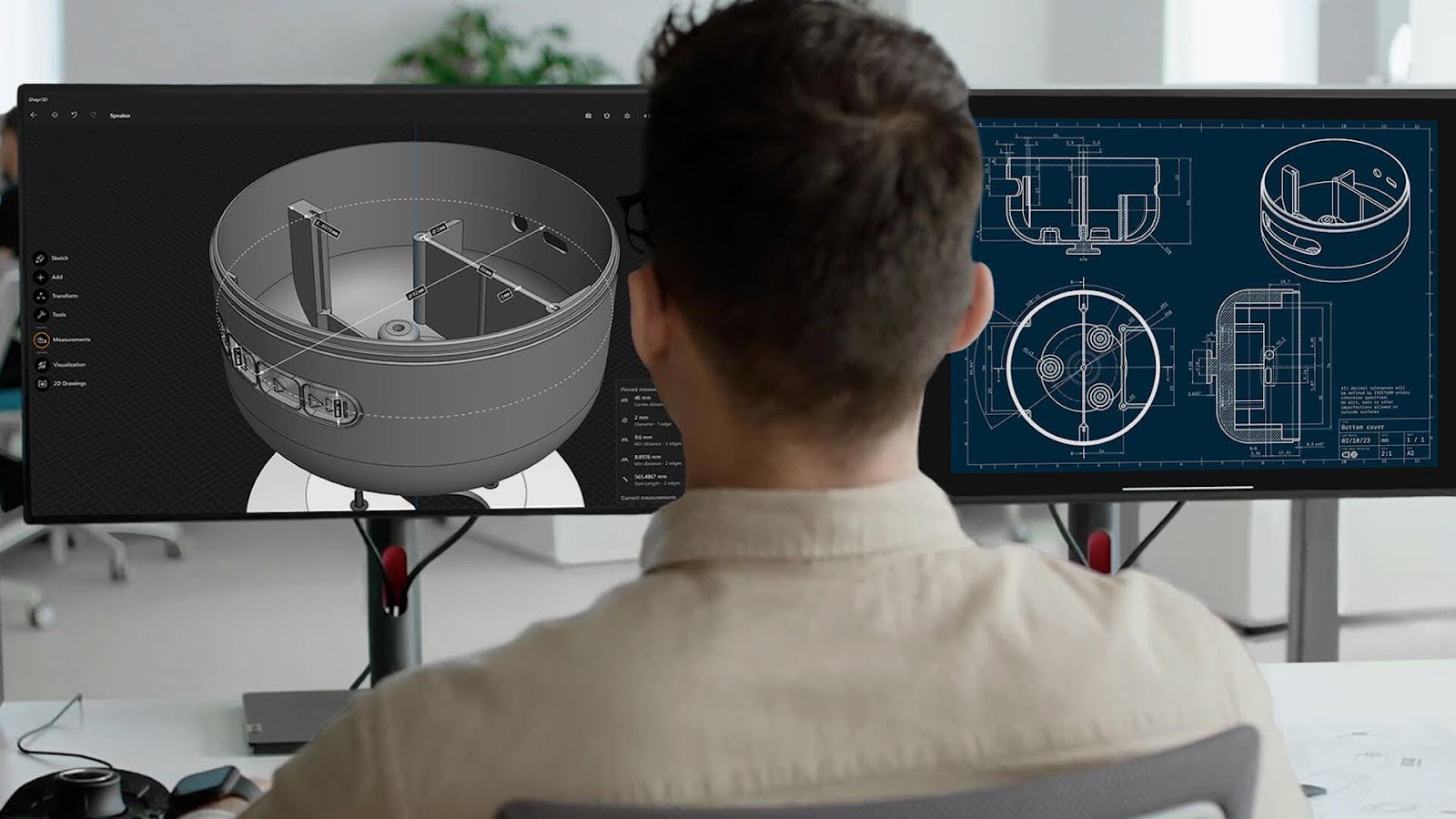
AutoCAD Plant 3D handles piping design. AVEVA E3D models offshore rigs. Revit manages BIM workflows. SolidWorks drives product engineering. These platforms work – until your workflow requires something they don’t offer out of the box.
For an oil and gas operator, that “something” might be automated BoM synchronization with SAP S/4HANA. For a construction firm, it might be formwork calculation automation that processes AutoCAD drawings against supplier catalogs. For an EPC contractor, it might be interdisciplinary clash detection with version control across piping, structural, electrical, and instrumentation teams.
Standard CAD platforms don’t solve these problems because they can’t – they’re designed for general-purpose use. Custom CAD software fills the gap. This article covers when custom development makes sense, what it actually looks like in practice (with real project examples), and how to approach it without wasting your engineering budget.
Where Standard CAD Platforms Hit Their Limits
AutoCAD, Revit, AVEVA E3D, and SolidWorks are powerful tools. The limitations aren’t in what they do – they’re in what happens between them and the rest of the engineering ecosystem.
The data transfer gap. Engineers manually re-enter Bills of Materials from AutoCAD Plant 3D into SAP. BoM data entry takes 4 hours per update. Error rates reach 10-15%. Incorrect data cascades into wrong purchase orders, construction rework, and schedule delays.
The multi-system coordination gap. Piping, structural, electrical, and instrumentation teams work in separate models. Clash detection happens through manual review cycles that take 3-5 days per iteration. The same clashes get flagged repeatedly because resolution tracking lives in spreadsheets, not in the design tool.
The calculation automation gap. Complex engineering calculations – formwork configurations, material take-offs, load calculations – are done manually in Excel because the CAD platform doesn’t include domain-specific algorithms. Senior engineers spend 60-70% of their time on repetitive calculations that should be automated.
The reporting and compliance gap. Extracting data from CAD drawings into structured reports for procurement, regulatory filings, or project documentation requires hours of manual copy-paste. Formatting errors are inevitable.
These aren’t edge cases. They’re standard pain points in construction, oil and gas, and manufacturing engineering. And they’re the exact problems that custom CAD software solves.
Five Signals That Your Team Needs Custom CAD Development
Your engineers spend more time on data transfer than on engineering. If BoM compilation, data re-entry between CAD and ERP, or report formatting consumes more than 20% of engineering hours – that’s automation ROI waiting to be captured.
The same errors keep cascading downstream. Manual data transfer error rates of 10-15% are common. If procurement regularly receives incorrect specs from engineering, custom validation and automated data exchange between systems is the fix.
Multi-discipline coordination relies on spreadsheets. If your team tracks clashes, design revisions, or review status outside the CAD environment – in Excel, email, or shared drives – a custom coordination tool integrated into the design platform will eliminate duplicate work and missed updates.
Domain-specific calculations aren’t supported by your CAD platform. Formwork calculation, pipe stress pre-screening, material optimization, or regulatory compliance checks specific to your jurisdiction or project standards require custom logic that no general-purpose CAD tool includes.
You need CAD data to flow into enterprise systems automatically. If engineering-to-procurement handover takes weeks because data has to be manually reformatted for SAP, Oracle, or Teamcenter – a bidirectional integration plugin solves this permanently.
If three or more of these signals describe your team’s situation, custom development will deliver measurable ROI. Not as a future possibility – as a documented outcome.
What Custom CAD Software Actually Looks Like – Five Categories With Real Results
1. CAD-to-ERP Integration
A custom tool that syncs 3D models, P&ID data, and Bills of Materials between AutoCAD Plant 3D and SAP S/4HANA. Built for a midstream gas processing plant. Results: data synchronization improved 85%, data-related reworks dropped 70%, procurement readiness improved 60%. BoM data entry went from 4 hours to 15 minutes. Error rates fell from 15% to under 2%.
2. Automated Calculation Systems
A CAD-integrated tool that analyzes concrete outlines from AutoCAD drawings and automates formwork panel selection, optimization, and reuse calculations. Built for a construction firm. Results: formwork calculation costs reduced 70%, turnaround improved 85%. Work that took 3 months was compressed to 1 day.
3. Interdisciplinary Review and Clash Detection
A custom 3D model review tool with clash detection, version control, and cross-discipline coordination. Built for a gas processing facility. Results: review time reduced 50%, manual errors cut 80%, cross-team coordination improved 90%. Clash resolution went from 3-5 days to under 1 day.
4. Automated Data Extraction and Reporting
A tool that extracts data directly from AutoCAD drawings, performs calculations, and generates structured Excel files automatically. Results: extraction time from hours to minutes. Formatting errors eliminated.
5. AI-Driven Simulation and Training
A Unity-based digital twin that transforms a 3D CAD model into an interactive operator training environment with AI-driven behavior simulation. Built for an Air Separation Unit. Results: training time cut 50%, cost per operator reduced 60%, incidents decreased 80%.
What Custom CAD Development Actually Costs – and What It Returns
Custom CAD plugins and tools typically range from $25,000 to $100,000 depending on scope and complexity. The ROI calculation is straightforward.
If a data integration plugin saves 4 hours per BoM update, and your team processes 200 BoM updates per year, that’s 800 engineering hours saved annually. At standard engineering rates, the plugin pays for itself within the first year – before accounting for the reduction in procurement errors, rework, and schedule delays.
In practice, mid-sized engineering firms report annual savings of $200,000+ in man-hours and rework from targeted CAD automation. The key word is “targeted” – not automating everything, but automating the specific workflows where the cost of manual processing is highest.
The approach that minimizes risk: start with one high-ROI workflow, measure results, then expand. Most of our clients begin with a single tool and scale based on documented savings.
How to Start Without Wasting Time or Budget
Step 1: Map your engineering bottlenecks by time consumed, not by complexity. The most impactful automation targets are usually the most boring – data re-entry, report formatting, repetitive calculations – not the most technically interesting.
Step 2: Choose one workflow to automate first. The best candidates: any task that takes more than 2 hours and happens more than 3 times per week.
Step 3: Build the automation inside the CAD environment, not outside it. Plugins built with native APIs (AutoCAD API, Revit API, Plant 3D SDK, AVEVA PML) have dramatically higher adoption than standalone tools.
Step 4: Measure before and after. Time per task, error rate, downstream rework. These metrics justify expansion.
Real Results From Real Projects
Here’s what custom CAD software has delivered across different industries:
Oil & Gas: A custom integration between AutoCAD Plant 3D and SAP S/4HANA for a midstream gas processing plant compressed BoM entry from 4 hours to 15 minutes, reduced errors from 15% to under 2%, and shortened engineering-to-procurement handover from 6+ weeks to 1 week. See our CAD-ERP integration services.
Construction: An automated formwork calculation system built on AutoCAD reduced formwork costs by 70% and improved turnaround by 85%. Work that previously took 3 months was completed in a single day. See the POSforAFS case study.
EPC / Multi-Discipline Projects: A 3D model review tool with integrated clash detection and version control reduced review time by 50%, cut errors by 80%, and improved cross-team coordination by 90%. See our 3D Model Review & Clash Detection services.
Manufacturing: A custom data extraction tool (Dwg2ExcelExporter) reduced engineer time on report preparation from hours to minutes while eliminating formatting errors entirely. See our CAD Data Export & Reporting Automation services.
Industrial Training: An AI-driven operating simulator for an Air Separation Unit — built from the facility’s 3D model – cut training time by 50%, reduced incidents by 80%, and lowered cost per operator by 60%. See our Operator Training Simulators services.

Conclusion
Custom CAD software isn’t about replacing AutoCAD, Revit, or AVEVA. It’s about extending them to do what your engineering workflow requires – whether that’s synchronizing BoM data with SAP, automating formwork calculations, coordinating clash detection across disciplines, or building operator training simulators from existing 3D models.
The technology exists. The ROI is documented. The practical question is whether your team has the internal expertise to build on AutoCAD API, Revit API, Plant 3D SDK, and AVEVA PML – or whether a specialized partner gets you there faster and with less risk.
Explore our custom CAD software development services or see real project examples from teams like yours.